VIP early access and secret drops
A drop is exclusivity with a clock on it: a window where a specific segment can buy and nobody else can.
Prime Lock handles both halves: who qualifies, and exactly when the door opens.
The problem
The manual version is someone setting an alarm. The product sits unpublished, a person publishes it at 9am for the VIP window, then edits the collection again for the public launch. It works until the alarm is in the wrong timezone, or the person is on a plane, or the launch is on a Sunday.
The slightly smarter version is an unpublished product with a shared direct link. This leaks instantly. Drop links get pasted into Discord servers and reply guys' timelines within minutes of the first VIP receiving one, and an unpublished-but-linkable product sells to whoever clicks first.
The theme-code version hides the product card from the collection grid. The product page itself still resolves, the JSON endpoint still returns it, and the cart endpoint still accepts the variant ID. You get the appearance of exclusivity and none of the substance, which is worse than nothing, because you promised your VIPs first access and they watched it sell out to strangers.
How Prime Lock does it
One rule covers the VIP window, the public opening, and the closing, with nobody awake at 9am.
- 1
Lock type → Hide completely, or Passcode gate
Hide completely removes the product from collections, search and sitemap for non-qualifying visitors: right for an unannounced drop. Passcode gate is right when the drop is announced and you are handing out a code.
- 2
Applies to → Specific products
Scope it to the drop SKUs. The rest of the catalog stays untouched and keeps selling normally through the window.
- 3
Who can unlock → Customers with tags → vip, or a passcode
Both conditions can be live at once: your tagged VIP segment gets in silently, and a code covers the people you do not have accounts for.
- 4
Also allow a secret link → On: with expiry and usage caps (Pro)
Cap the uses at the size of the list you sent it to. When the link is inevitably reshared, it is already spent.
- 5
Schedule → Date window
Set the VIP window's start and end. The lock opens and closes itself in your store's timezone, so the public launch is just the moment the rule expires.
- 6
Storefront behavior → Show custom message
For an announced drop, tell the visitor when it opens. A countdown line converts better than a dead end.
What the customer sees
Before the window opens, a non-VIP gets your message. A tagged VIP gets the buy button. The Function decides the same way for both.
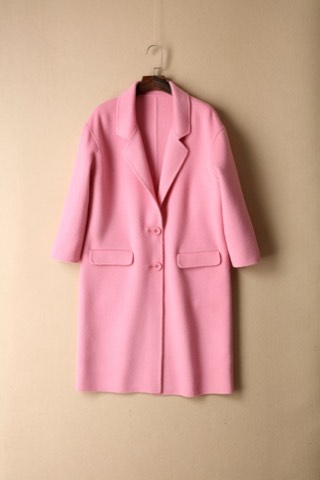
Drop 07: Wool Coat · Medium
Marlow & Fen · SKU MF-D07-WC-M
Opens to VIP members at 09:00
The product page is still indexable by Google, only the price is withheld.
Why enforcement matters here
Drops are the single clearest case for real enforcement, because the audience is motivated and technical. Within minutes of a VIP link going out, someone posts the cart permalink (`/cart/44821994:1`) in a Discord and hundreds of people click it. That URL is handled by Shopify's cart endpoint, which does not read your theme, your CSS, or the visibility rules an app painted onto the page. Every visual-only lock loses the entire drop right there.
Prime Lock's checkout Function evaluates the cart against the lock at the moment of payment: is the customer tagged `vip`, do they hold a valid passcode token, is the date window open? If not, the order is blocked and the inventory stays where you promised it would be. The permalink is not the exploit it usually is; it is just a link that will not check out.
Plan the window before you build the lock
Drops fail operationally more often than technically. Decide these four things first and the configuration takes five minutes.
- When VIP access opens, and in which timezone. Schedules run on store time; a launch announced in local time to an international list needs the difference stated explicitly.
- When it opens to everyone. Set both dates at once so the lock closes itself and nobody has to be awake.
- What the page shows before the window opens. A visible product with a disabled buy button collects interest; a 404 collects nothing.
- Who counts as VIP, and how they got the tag. If the tag is applied manually, apply it before the window opens rather than during.
Expect the link to be shared, and plan for it
A drop is the scenario where cart permalinks spread fastest. One tagged VIP posts the cart URL to a Discord server as a favour, and within minutes it is in front of thousands of people who were specifically not meant to have it yet. This is not a hypothetical; it is the normal behaviour of enthusiastic customers.
Because the checkout Function reads the tag rather than the referrer, a shared link simply does not convert for anyone outside the segment. That also means you can be relaxed about the link circulating: it becomes advertising for the general opening rather than a leak, and the people who click it early see the product and the date it unlocks.
Related
Blog
Direct cart links bypass price hiding
The permalink trick, demonstrated on a store that hides prices in the theme.
ReadBlog
Hiding prices on Shopify: what is actually built in
Native options first, then the gap a Function fills.
ReadDocs
Create your first lock
Date windows, secret links, expiry and usage caps.
ReadDecide who gets to see your store.
Early access opens with the free plan. Unlimited locks, enforced at checkout.
No newsletter. One email when Prime Lock is live.